前言:重装win10顺带整理文件, 然而装个MySQL用了我一下午, 真是不值, 所以写这篇来帮助大家。
一、下载
https://dev.mysql.com/downloads/mysql/
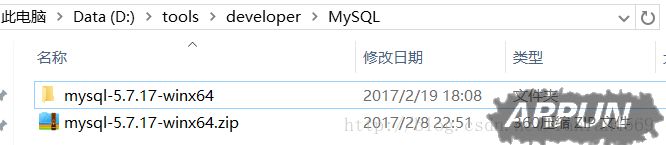
二、解压缩zip包
三、配置环境变量
(1)配置Path

(2)修改mysql-default.ini配置文件
原先的:
# These are commonly set, remove the # and set as required.# basedir = .....# datadir = .....# port = .....# server_id = .....
修改后的:

四、以管理员身份进入命令提示符 cmd
注意:先mysqld -install, 再mysqld –initialize
(1)执行mysqld -install
C:\Users\donald>cd D:\tools\developer\MySQL\mysql-5.7.17-winx64\binC:\Users\donald>d:D:\tools\developer\MySQL\mysql-5.7.17-winx64\bin>mysqld -installService successfully installed. //成功安装服务
(2)执行mysqld –initialize
D:\tools\developer\MySQL\mysql-5.7.17-winx64\bin>mysqld --initializeD:\tools\developer\MySQL\mysql-5.7.17-winx64\bin>
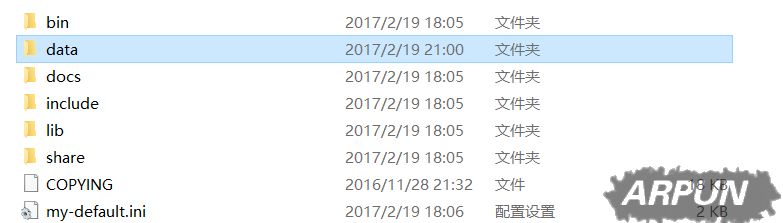
会自动创建data文件夹
(3)mysqld.exe -nt –skip-grant-tables(注意:窗口无反应)
D:\tools\developer\MySQL\mysql-5.7.17-winx64\bin>mysqld.exe -nt --skip-grant-tables
(4)直接关闭窗口, 再重新打开dos(同样管理员身份方式打开)
C:\Users\donald>mysql -u root Welcome to the MySQL monitor. Commands end with ; or \g. Your MySQL connection id is 3 Server version: 5.7.17 MySQL Community Server (GPL) Copyright (c) 2000, 2016, Oracle and/or its affiliates. All rights reserved. Oracle is a registered trademark of Oracle Corporation and/or its affiliates. Other names may be trademarks of their respective owners. Type 'help;' or '\h' for help. Type '\c' to clear the current input statement. mysql> use mysql Database changed mysql> update user set authtication_string=Password('admin') where user="root"; //这时候会提示修改成功等, 或者waring 什么的。 mysql>flush privileges; 0 rows affected (0.01 sec)五、校验成功
(1)在任务管理器中终止mysqld进程, 开启mysql服务
C:\Users\donald>net start mysql
若出现:

打开任务管理器, 找到mysqld, 结束该进程。
然后重新启动mysql, 就可以了。
(2)输入mysql -u root -p
C:\Users\donald>mysql -u root -p//输入admin